

QR Code Scanning | Washington Commanders - Commanders.com


Scan QR Code
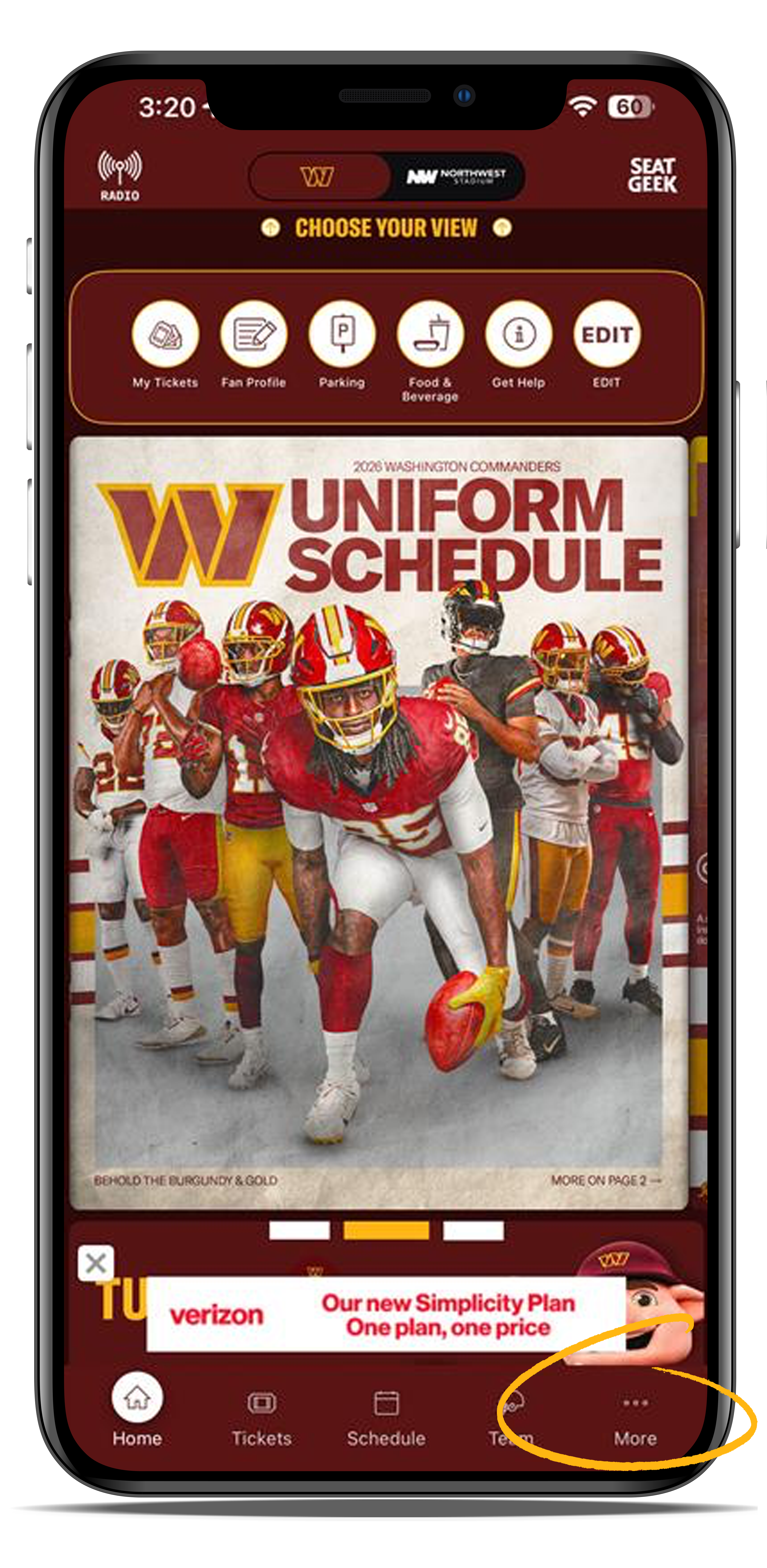
Open the Commanders app and in the bottom, right-hand corner of your screen, tap on "More" to access the app's menu.
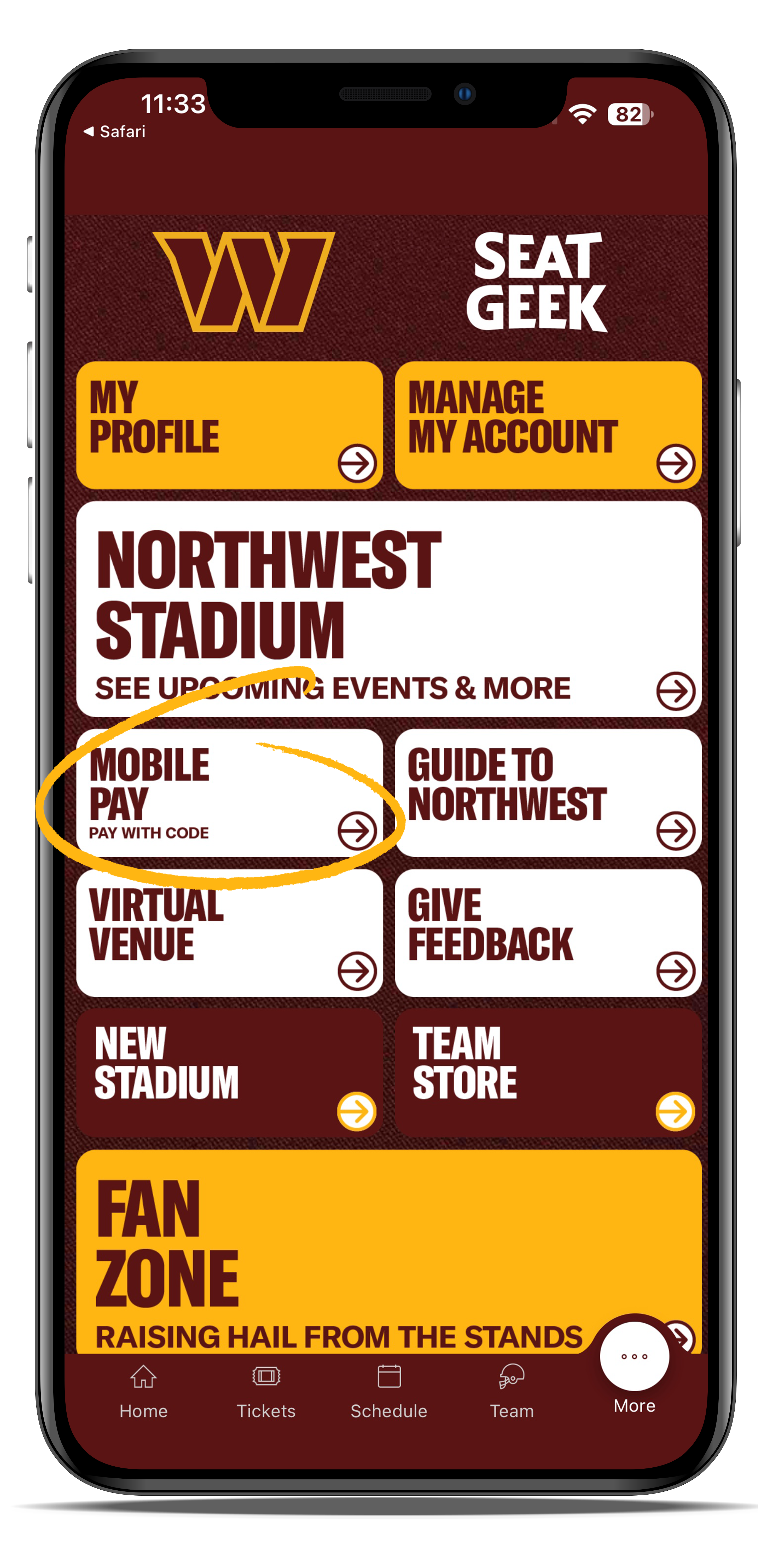
Select 'Mobile Pay'
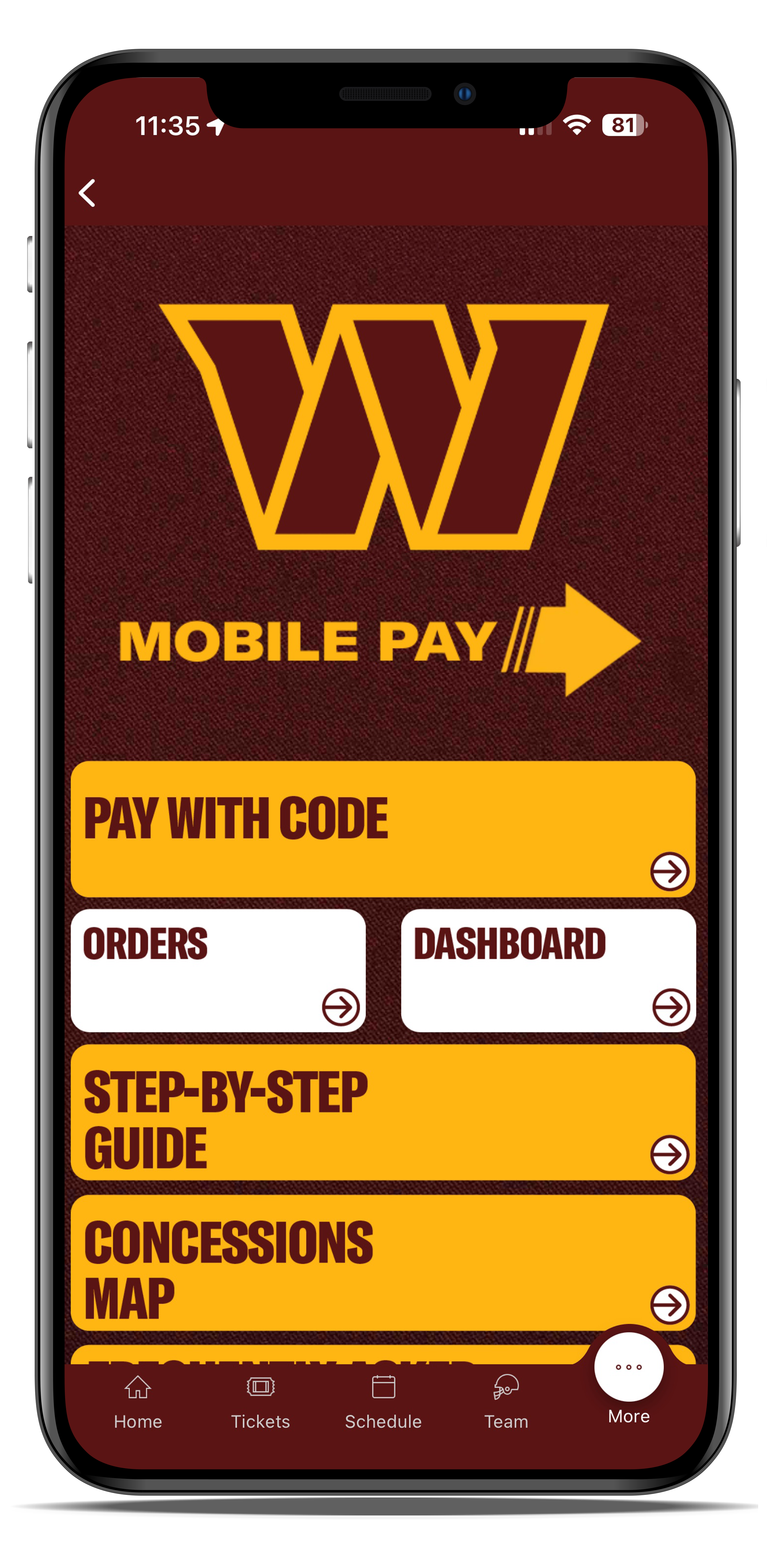
Select "Dashboard"
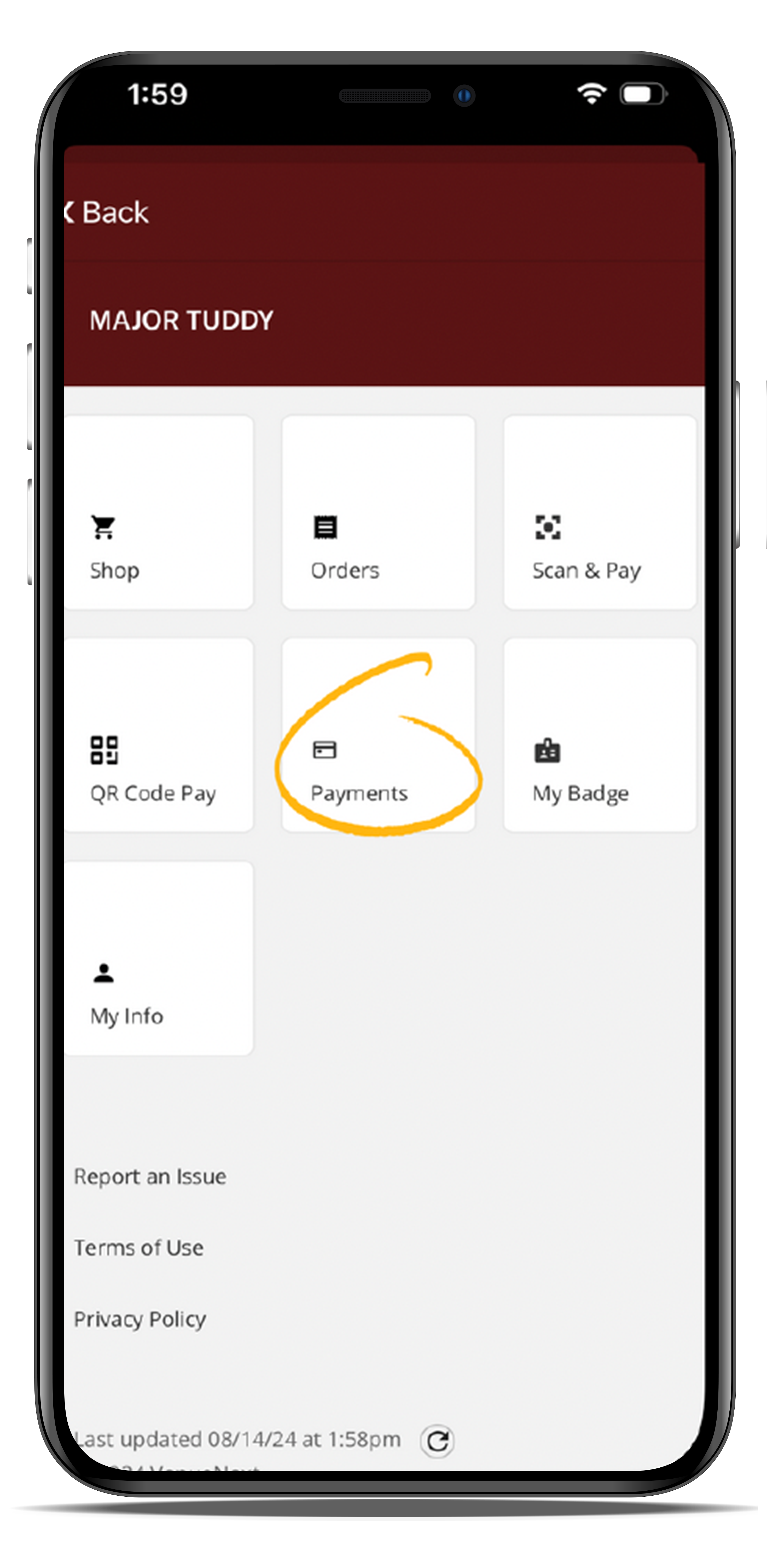
Select "Payments," where you will be prompted to enter your credit card information into the provided fields.
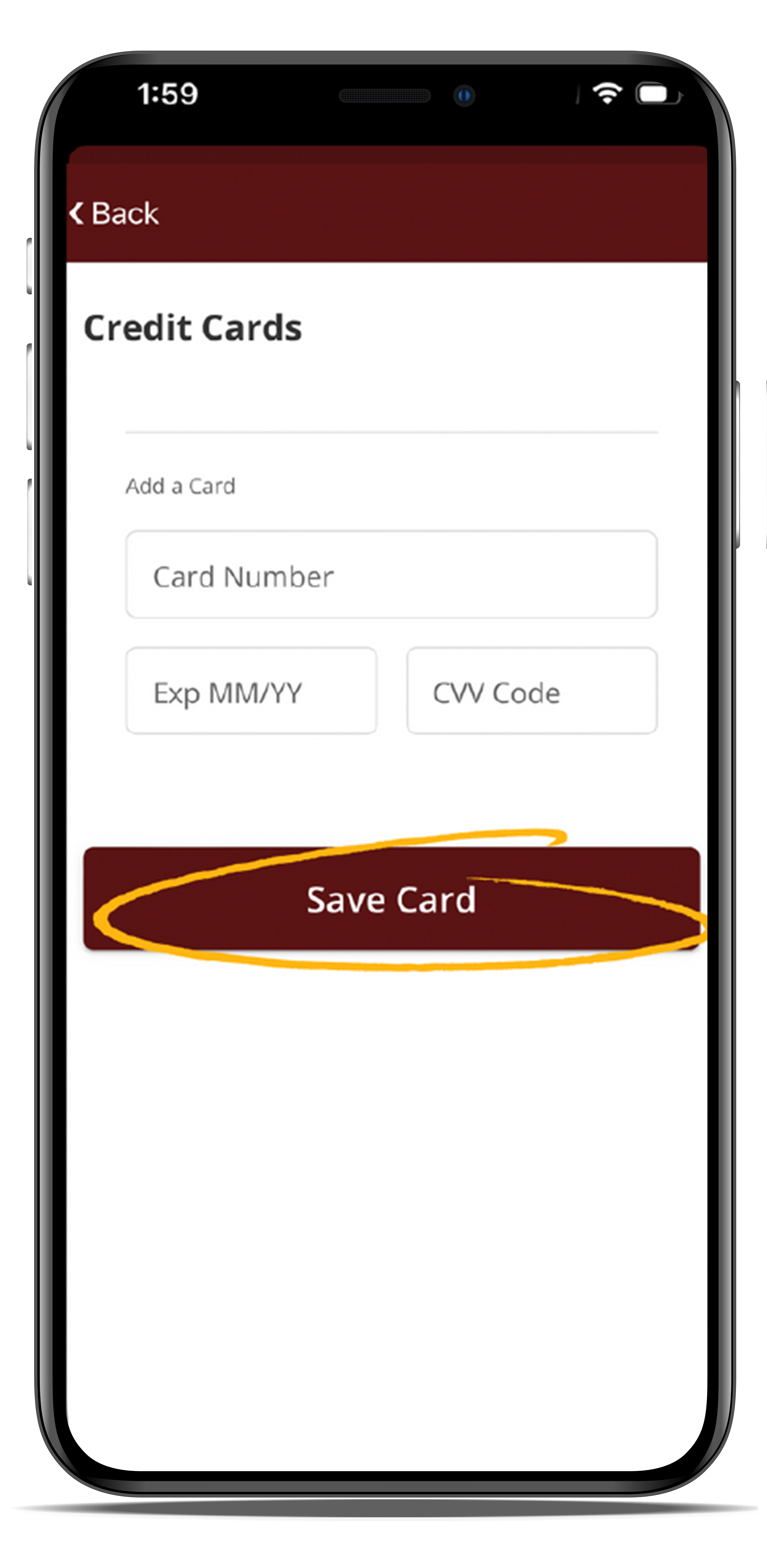
If you do not have a credit card on file, please refer to this link to get a card added to your account.
Tap on "Pay with Code"
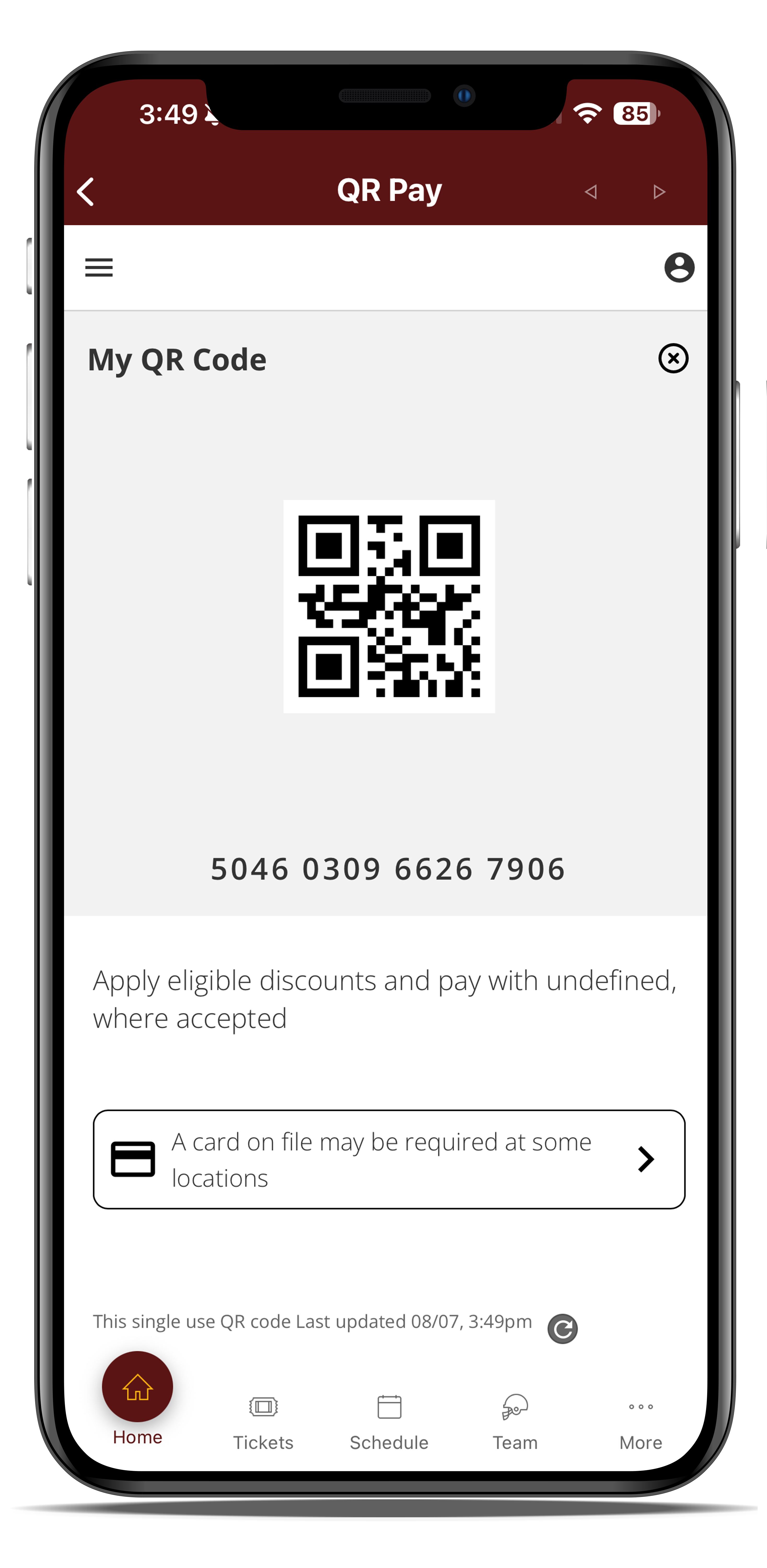
A unique QR code will appear on your screen. Screenshots and PDFs of the QR code will not be functional.
Scan this QR code at the entry point of the designated drink lanes to seamlessly connect with your saved payment method and enjoy refreshments during the game.
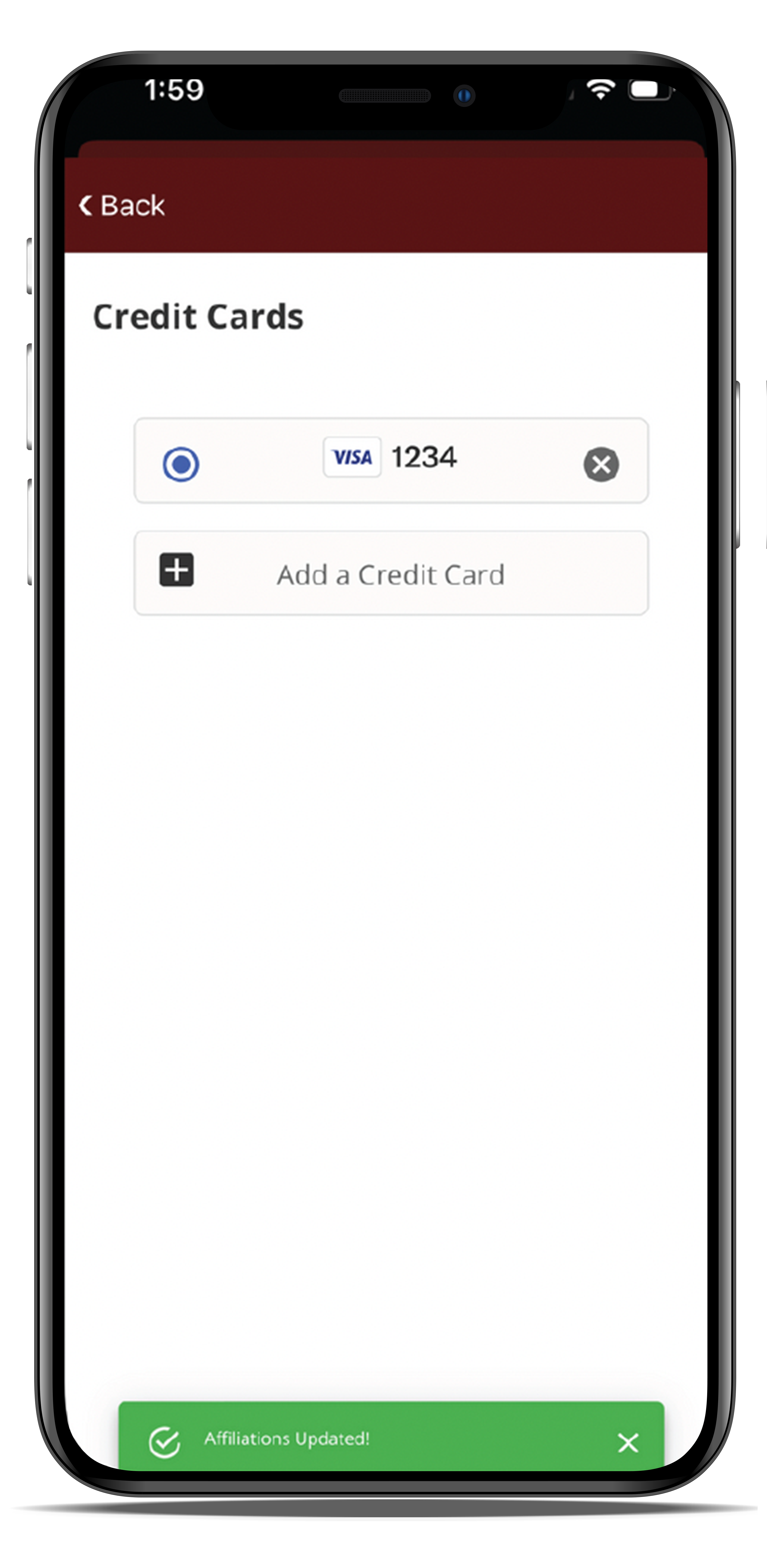
When you walk out of the market, the items taken out from the market will automatically be charged to the card on file.